
Players from many regions play at the same servers for PvE. PvP, dungeons, raids, and more.
Depending on your location and the route your data takes, you may see high latency, jitter, packet loss, rubber banding, or disconnections.
WTFast helps to stabilize and get better response time, optimizing the route between your PC and the game servers.
This guide explains how to use WTFast with AION 2 Global:
Why Stability Matters in AION 2
AION 2 includes PvP, co-op content, and other online activities where a stable connection has a big impact on the experience.
Jitter and packet loss can cause delayed actions, inconsistent movement, or disconnections in the middle of a fight.
What Is WTFast?
WTFast is a GPN designed to improve connections for online games. Rather than changing the game or raising the speed of your internet plan, it works on the route your data takes to the server. This can help when your provider's usual route has congestion, packet loss, or frequent changes.
How to Configure WTFast for AION 2 Global
Download and install WTFast from our link: https://www.wtfast.com/en/download/.
Log in with your account.
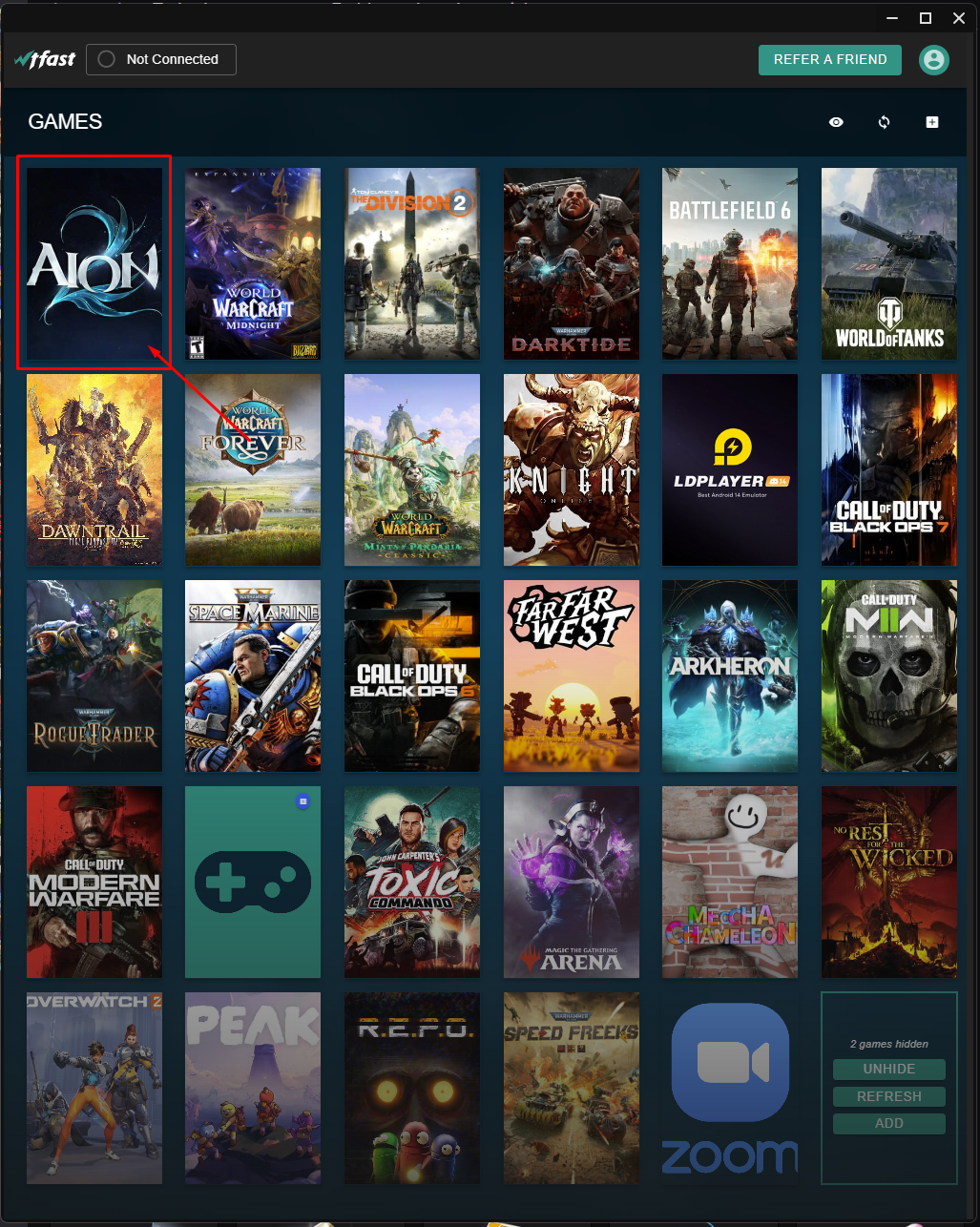
Pc app will detect your AION 2 installation, select it, use Aion 2 Steam or Stand Alone global version.
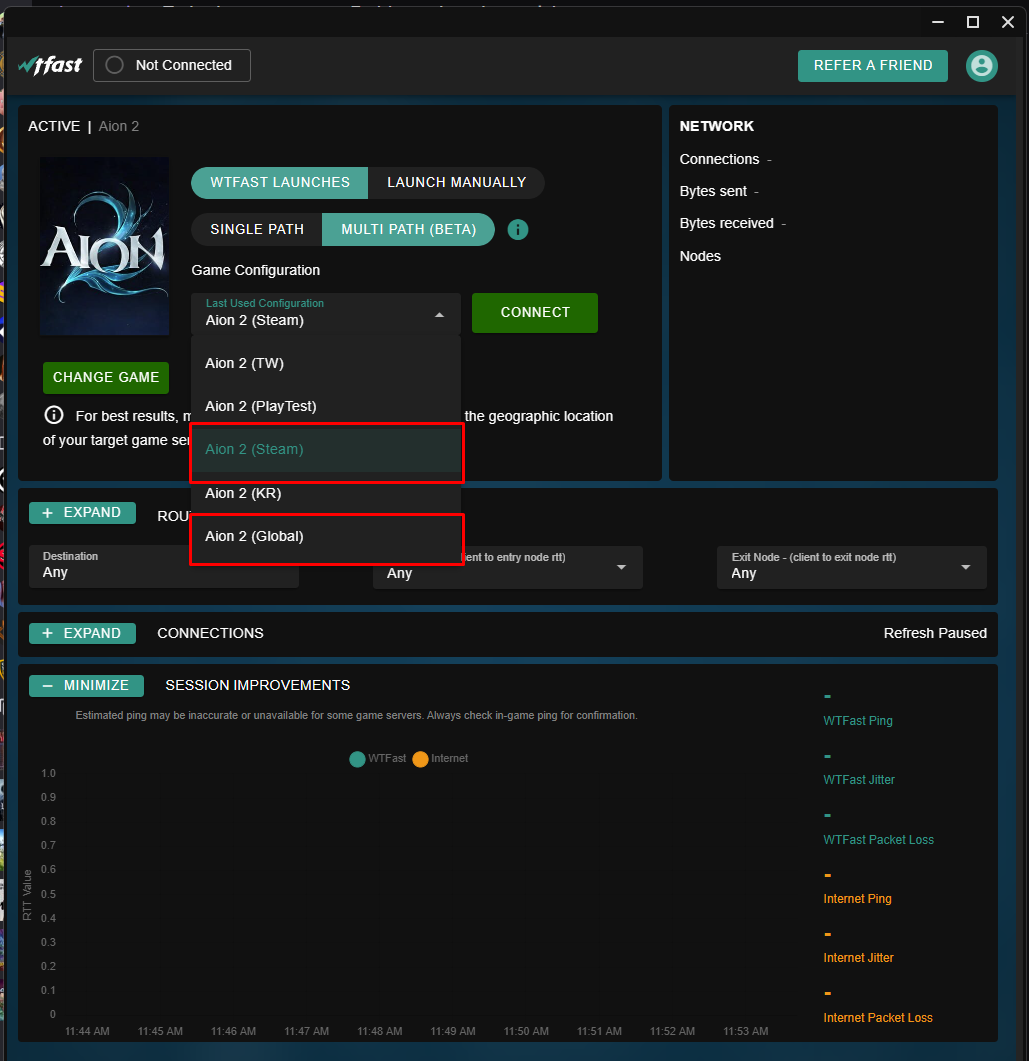
Press Connect. WTFast automatically starts your game or, if you prefer, you can choose Launch Manually.
Time to WIN.
WTFast for PvP and Group Content
In PvP, every skill, movement, and reaction matters. A delay between your action and the server's response can cost you a fight, and a steadier route keeps the experience more consistent.
In dungeons, raids, and other co-op content, a disconnection affects the whole group, so a steady connection matter most during long sessions.